Jewelry rendering: how jewelers turn CAD into photorealistic renders
By HeyGema™ · Updated · 10 min read
In short
Jewelry rendering turns a 3D model of a ring, pendant or pair of earrings into a photorealistic image of the finished piece, before anything is cast. You can render in software such as KeyShot, V-Ray or Blender, use your CAD program's own renderer, hire a render artist, or use an online render tool such as HeyGema™: upload a CAD screenshot or a 3D file (.3dm, .obj or .glb), pick the metal and stones, and get a render with no lighting or material setup. There's a free plan.
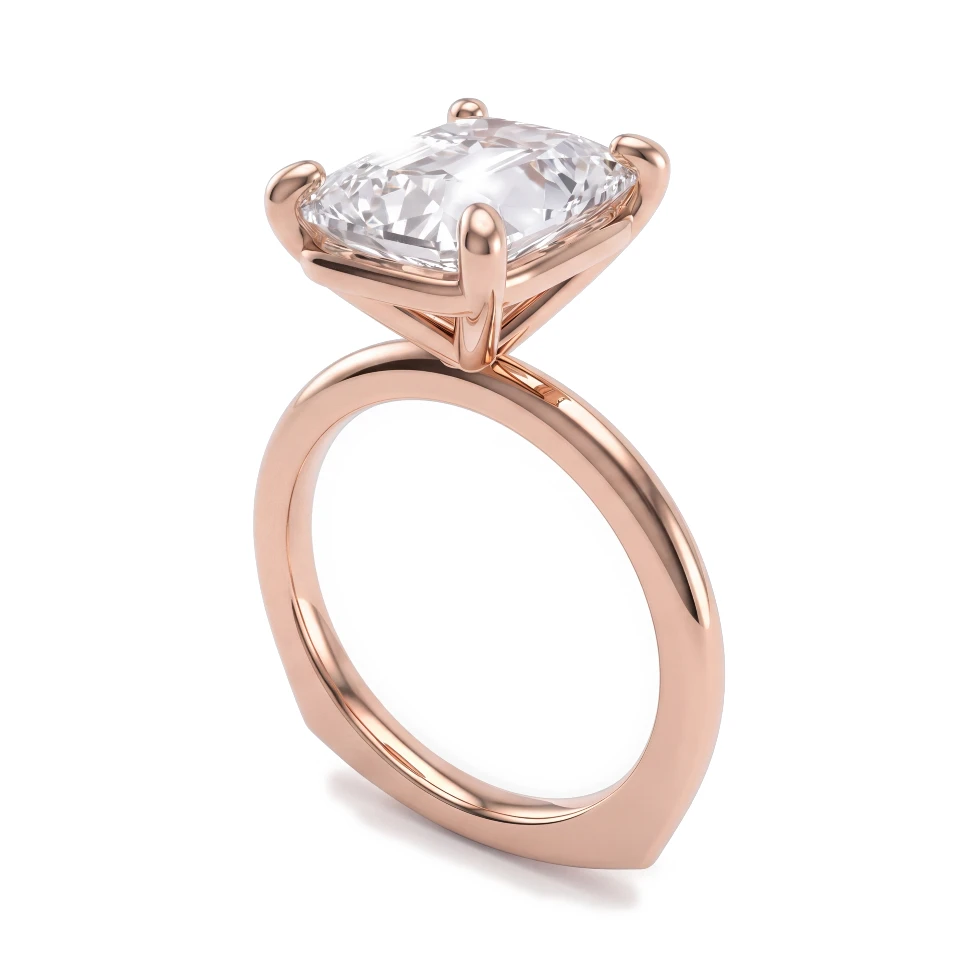
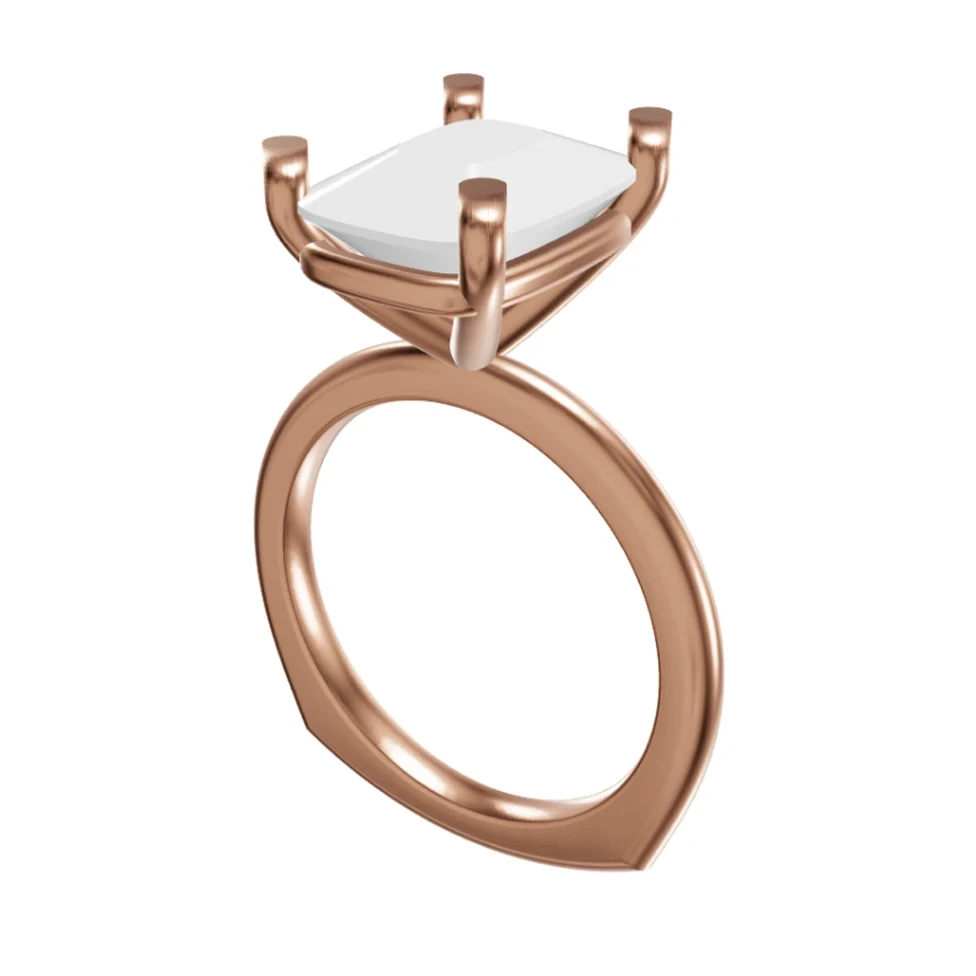
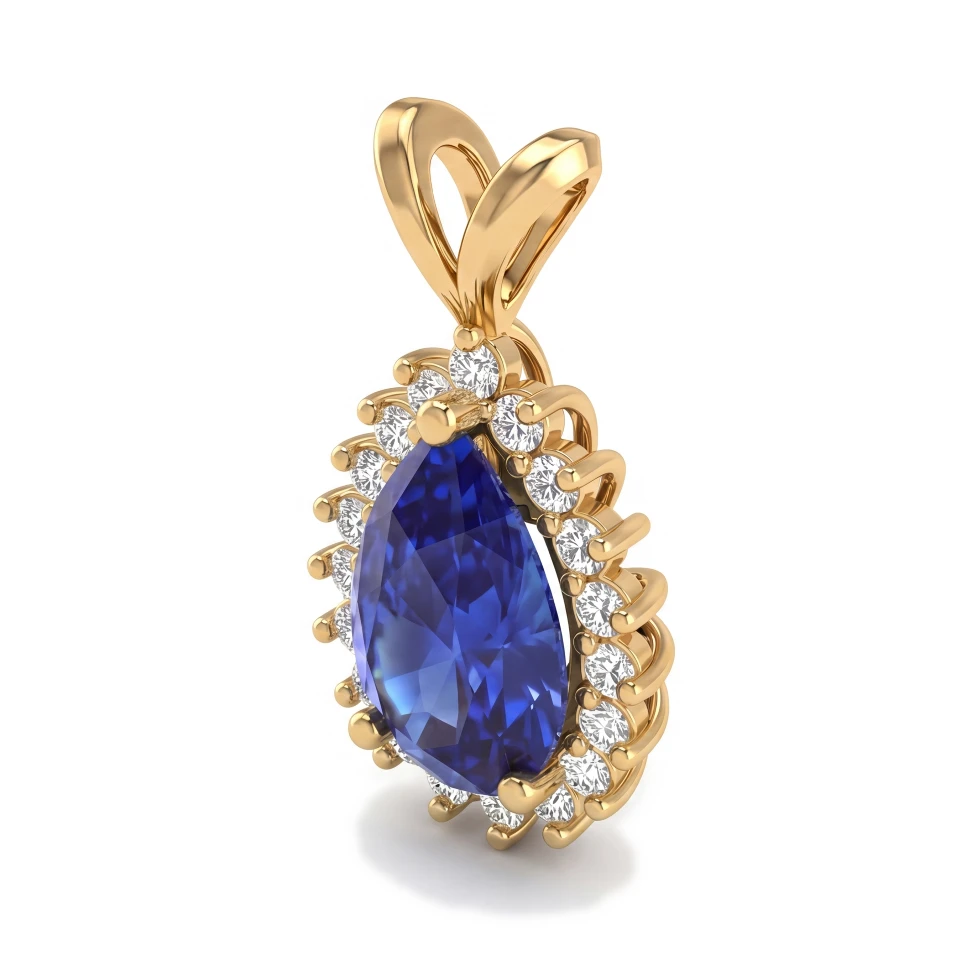
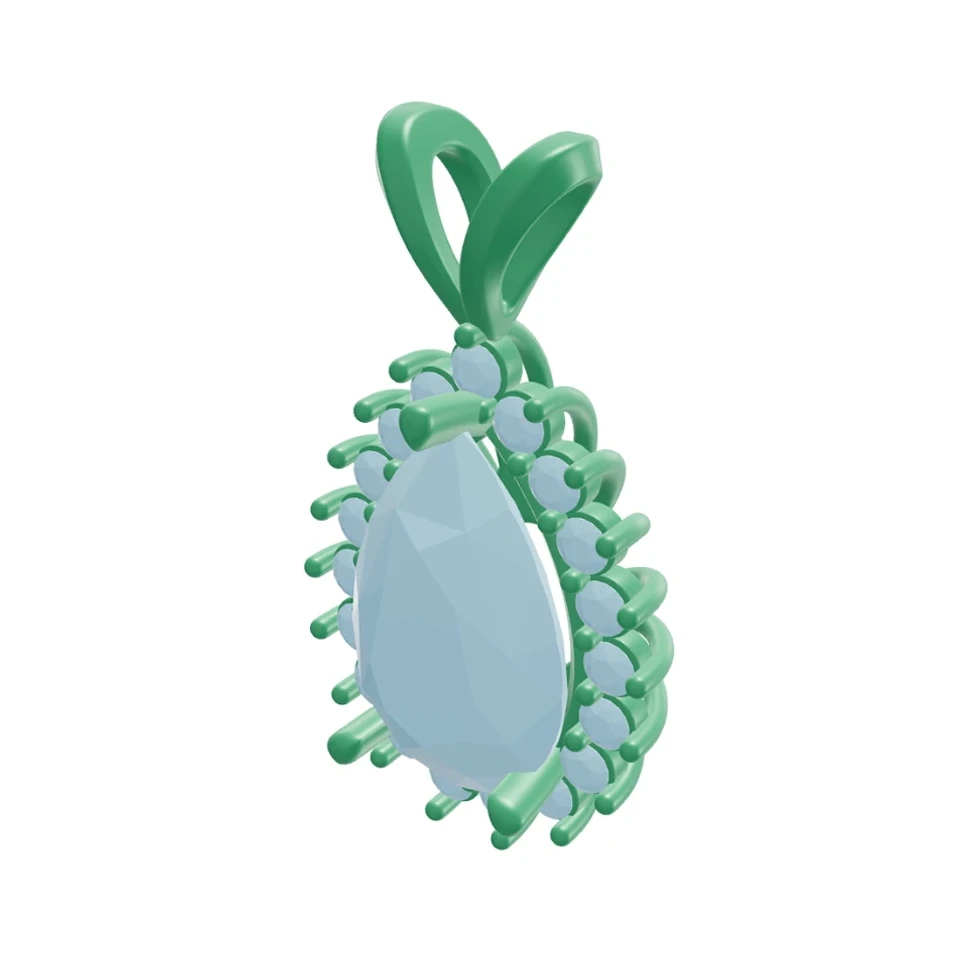
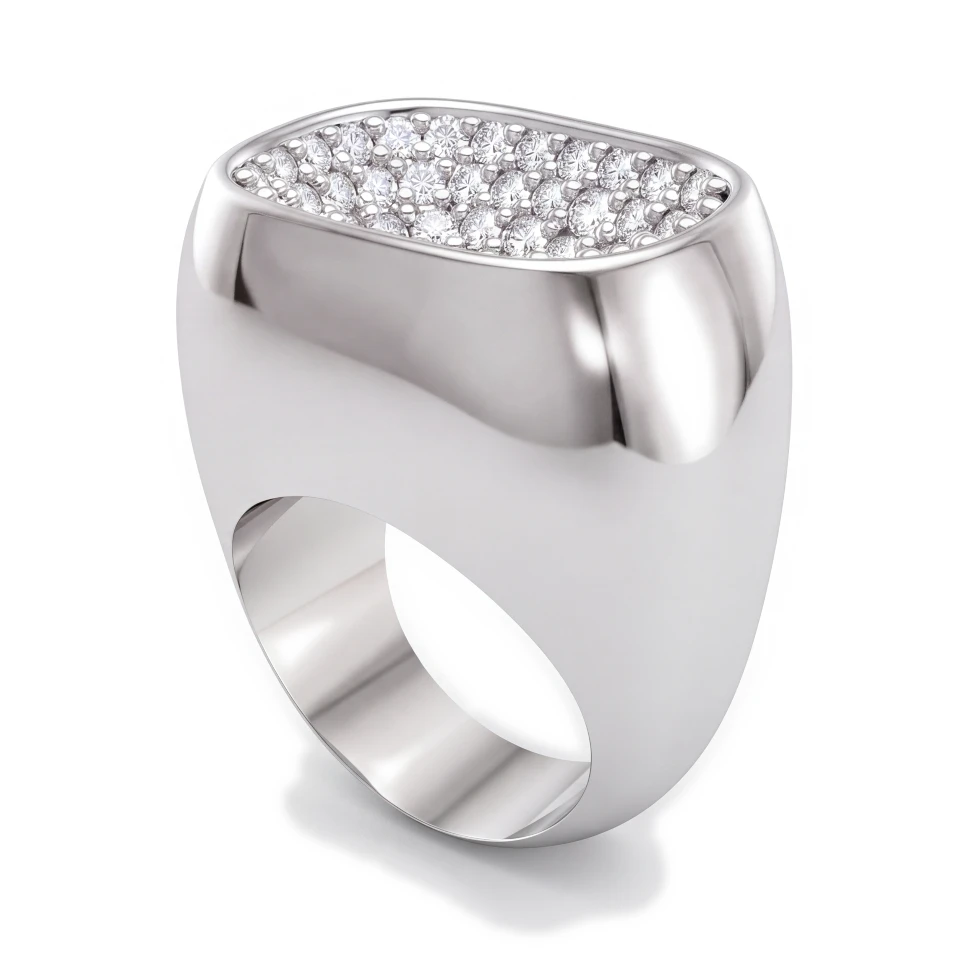
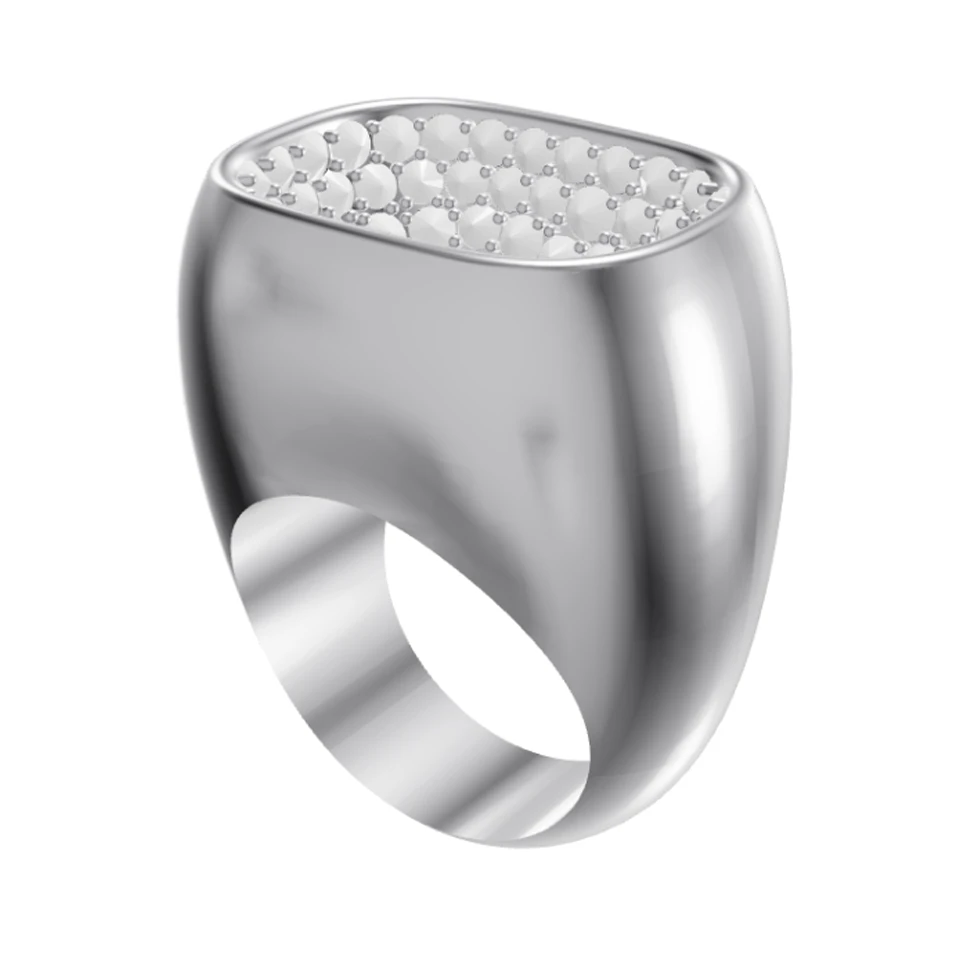
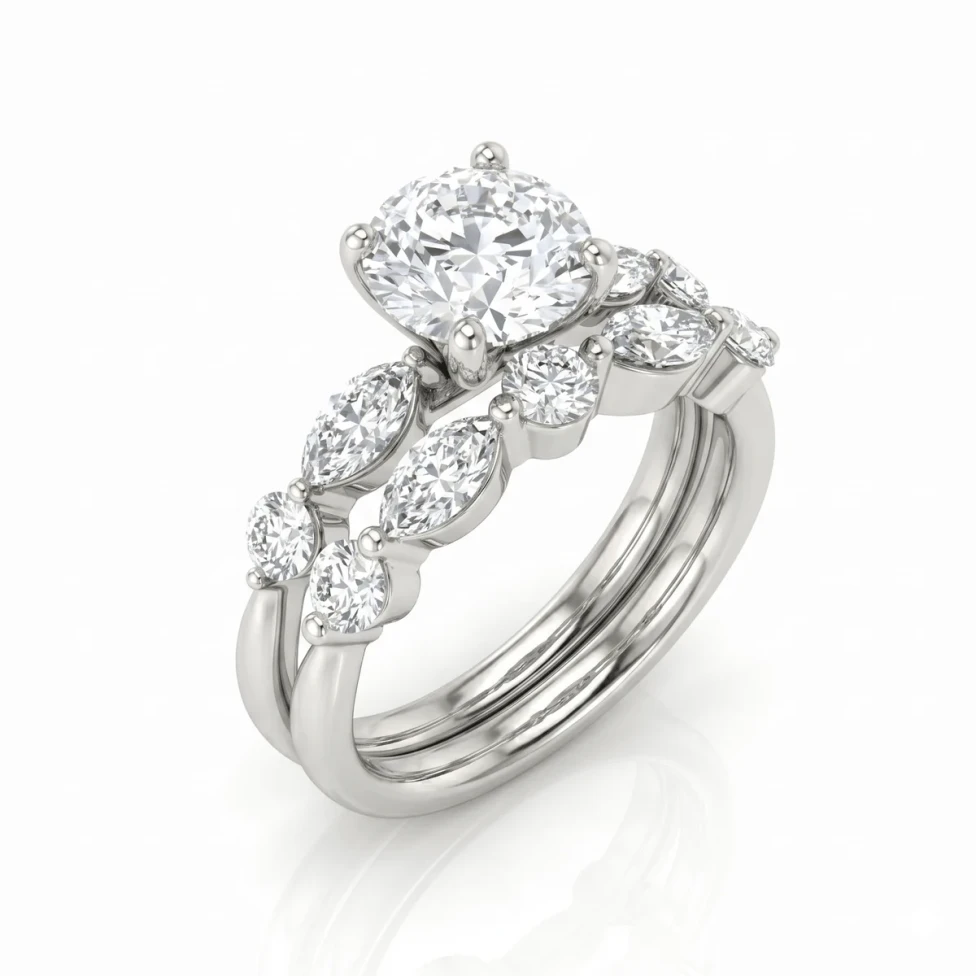
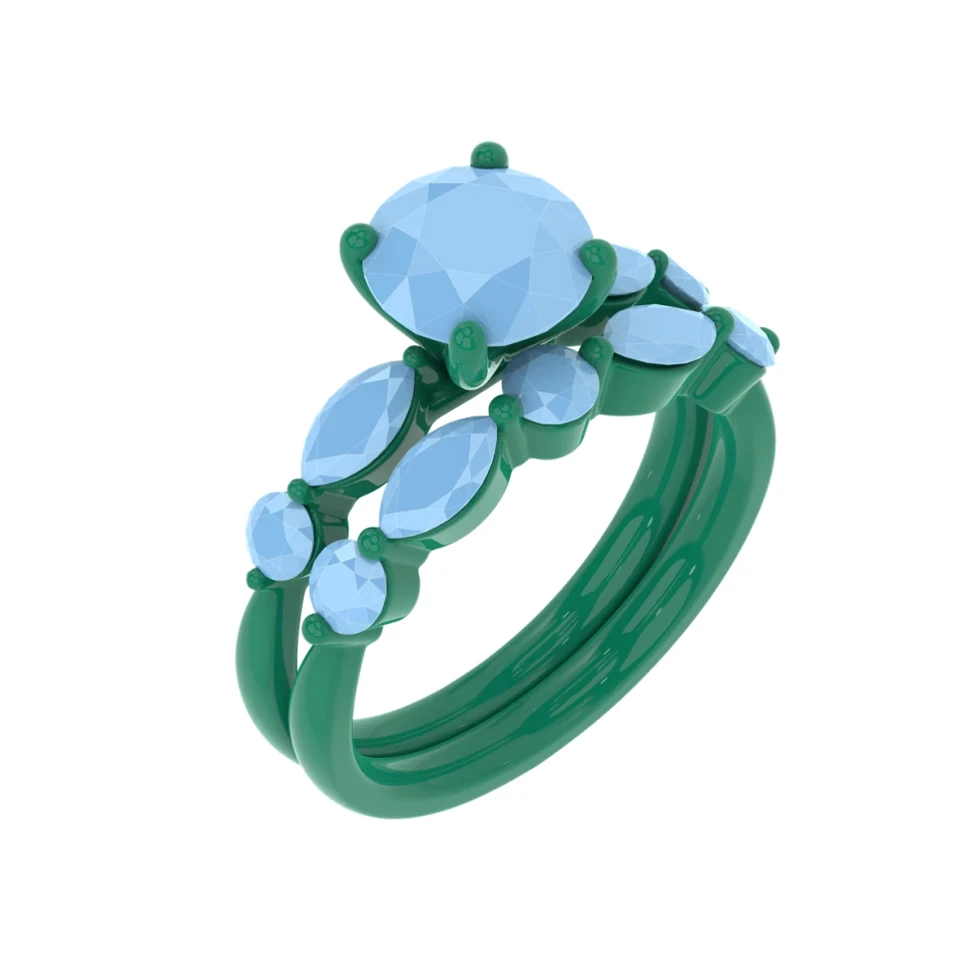
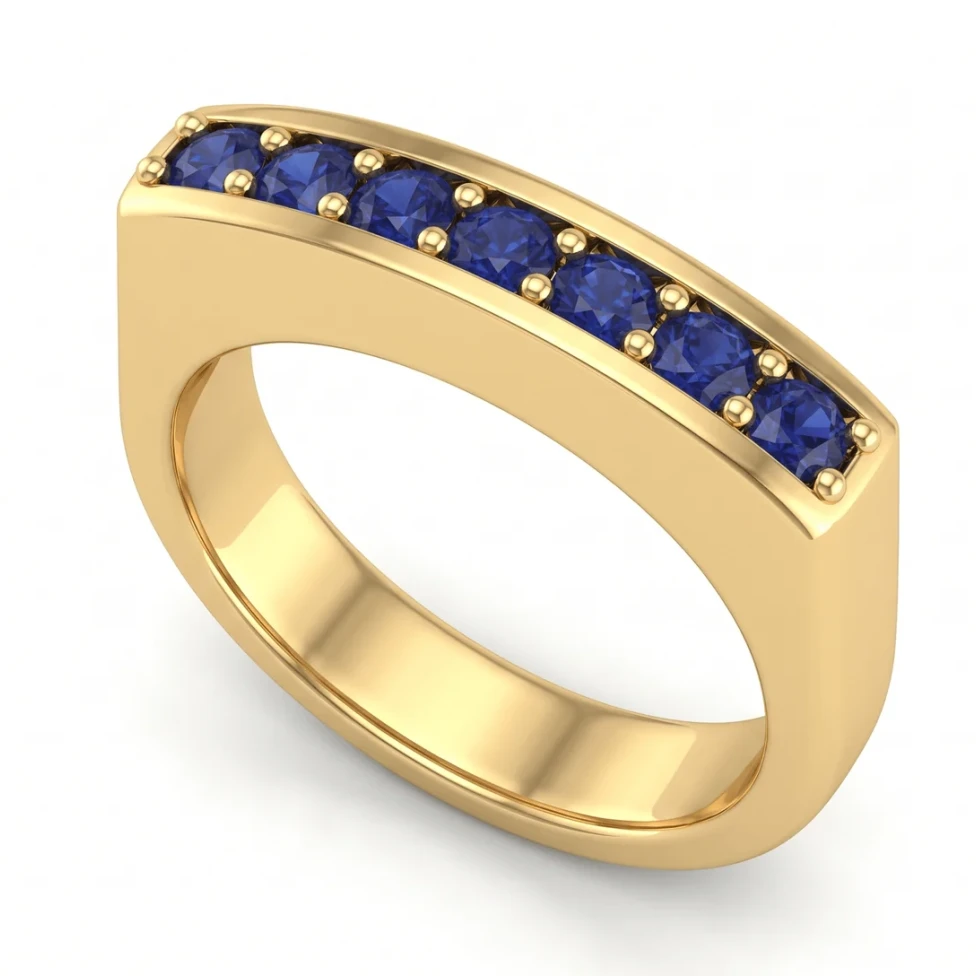
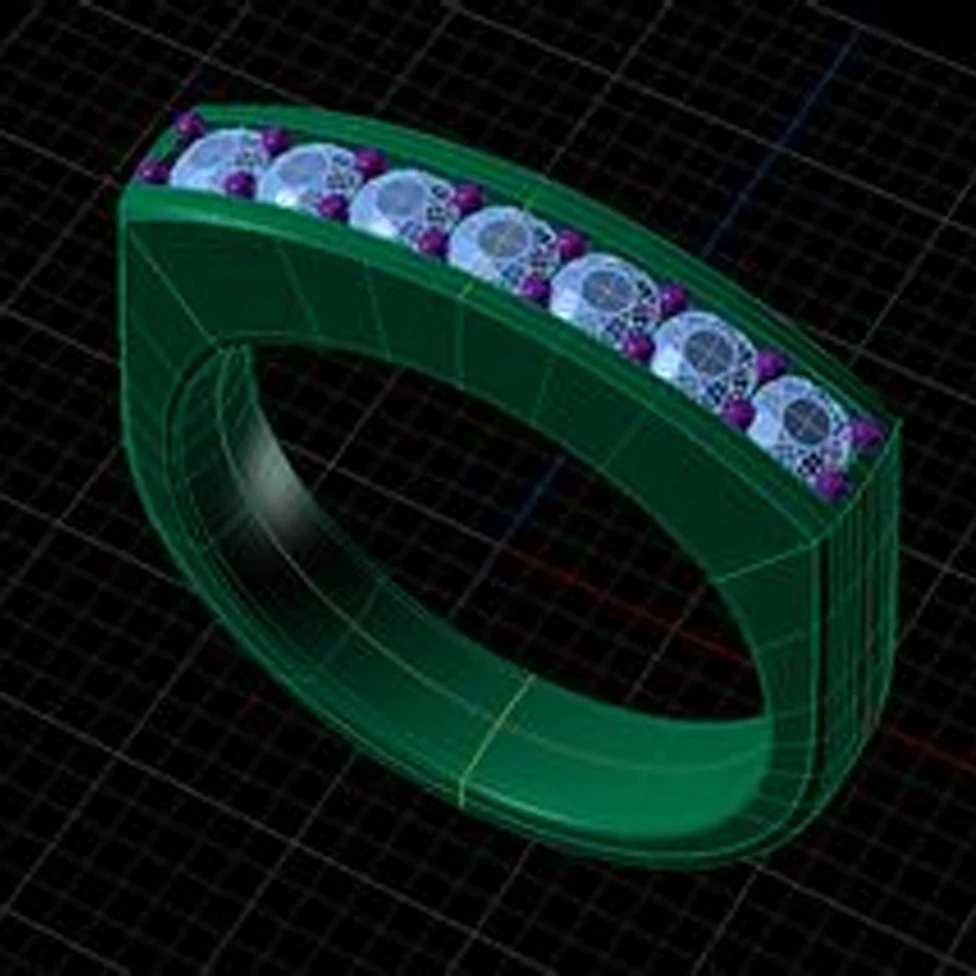
A client looks at the CAD view of their engagement ring: gray metal, flat blue stones, a grid behind it. They nod, but they can't picture it. A jewelry render shows the same design in yellow gold with a diamond that catches the light, so they can say yes before you print the wax.
What is jewelry rendering?
Jewelry rendering is making a photorealistic image of a piece from its 3D model. The renderer works out how light hits the metal and passes through the stones, and the result looks like a product photo of a piece that doesn't exist yet.
Because a render starts from the CAD model, the proportions, the stone layout and the setting are the ones you will cast. That's what makes a render different from a sketch or a mood board: it shows the real design, only in finished materials.
Why jewelers use renders
- Client approval before casting. The client sees the piece in the metal and stones they chose, and you catch changes while they're still cheap. See how to show a client a custom ring before it's made.
- Selling made-to-order pieces. A render can go on a product page or a social post before the piece is made.
- Showing options. The same ring in yellow, white and rose gold, or with a sapphire instead of a diamond, without making each one.
- Catalogs and websites. Clean images on a white background, without a photo studio.
- Talking to your bench. A render next to the CAD helps the setter and the polisher see the intended finish.
Four ways to get a jewelry render
- Render software (KeyShot, V-Ray, Blender)
- What you do: Set up materials, lighting, environment and camera
- Skills needed: Weeks of practice to get good
- Cost: Paid license or plugin; Blender is free
- Best for: Catalog and advertising images with full control
- Your CAD program's renderer (Rhino, MatrixGold, RhinoGold)
- What you do: Assign materials and an environment, then render
- Skills needed: Some practice
- Cost: Included with the program
- Best for: Quick renders without leaving CAD
- A render artist
- What you do: Find one, brief them, wait for each version
- Skills needed: None
- Cost: Paid per image
- Best for: Hero images for a campaign
- An online render tool (HeyGema™)
- What you do: Upload the design, pick the metal and stones
- Skills needed: None
- Cost: A free plan, and about $1 a render on Pro
- Best for: Client approvals and everyday renders
1. Render software
KeyShot is the renderer many jewelry studios use for catalog work. V-Ray runs inside Rhino, and Blender's Cycles engine is free. All three can make excellent jewelry renders, and all three ask you to build the scene: metal and gem materials, an environment for the reflections, lights and a camera. Getting diamonds and polished gold to look right is a skill that takes weeks of practice, and a new scene can take hours to set up. Our jewelry rendering software comparison goes through each one.
2. Your CAD program's own renderer
Rhino has a built-in renderer, and MatrixGold and RhinoGold add jewelry materials on top of it. It keeps you in one program, which is handy for a quick look. You still pick materials and an environment, and gemstones are usually where these renders fall short of a dedicated renderer.
3. A render artist
A freelance render artist delivers polished images without you learning a renderer. It's the right call for a hero shot or a campaign. For everyday approvals it's slower: you find the right person, explain what you want, and wait days for each version, and every change is another round. Before you hire one, read what to know about jewelry rendering services.
4. An online render tool
An online render tool starts from your design and returns a photorealistic image with no scene to build. HeyGema™ is made for jewelry CAD: it takes a screenshot from any CAD program or a 3D file, keeps your angle, stones and metal as modeled, and runs in the browser on a computer or a phone. General image generators such as ChatGPT or Gemini restyle a picture without knowing it's a design that has to stay exact; see can ChatGPT or Gemini render jewelry CAD?. For a wider list, read the best online jewelry rendering tools.
What makes a jewelry render look real
- Metal that reflects something. Polished gold looks like gold because it mirrors its surroundings: bright highlights next to dark edges. A plain white room makes it look flat and plastic. See jewelry render lighting.
- Diamonds with dark and bright facets. A real diamond shows a pattern of dark and bright facets with flashes of color. A diamond rendered as white glass is the most common giveaway. See how to make diamonds look real.
- Colored stones in the right shade. A pigeon blood ruby and a pink sapphire aren't the same red. The stone should be the shade you're selling, with depth toward the center.
- Soft studio light. Large soft lights give clean highlights on the metal without hard glare.
- A contact shadow. A soft shadow under the piece makes it sit on the surface instead of floating.
- The details from the CAD. Prongs, milgrain, pavé and engraving should all be there, the same as the model.
- A calm background. White or light gray for a website, a darker tone for social posts.
The angles jewelers render most
- Front: the face of the piece, the way someone sees it worn.
- ¾: the most common angle for a product page. It shows the face and the depth together.
- Side: the profile, the setting height and the gallery under the center stone.
- Top: the stone layout from above, useful for halos and clusters.
- Back: the inside of a band or the back of a pendant, for engraving and finish.
Send a client two angles: the front and a ¾ or side view. One angle hides the profile, and the profile is what most clients ask about later. For rings, see how to render an engagement ring.
Which files can you render?
- .3dm
- Comes from: Rhino, MatrixGold, RhinoGold
- In HeyGema™: Opens in 3D in the browser; pick any angle
- .obj
- Comes from: Most CAD and 3D programs
- In HeyGema™: Opens in 3D in the browser
- .glb
- Comes from: Blender and most 3D programs
- In HeyGema™: Opens in 3D in the browser
- .stl
- Comes from: Exports for 3D printing
- In HeyGema™: Take a screenshot of the model and upload that
- Screenshot (.png, .jpg)
- Comes from: Any CAD program: CounterSketch, JewelCAD, 3Design, ZBrush and more
- In HeyGema™: Rendered from the view you captured
A 3D file stays on your computer. HeyGema™ reads it in the browser and only sends pictures of the view you choose. For Rhino files, see how to render a .3dm file online; for screenshots, see how to turn a CAD screenshot into a render.
How to render your jewelry CAD with HeyGema™
- 1
Open the render tool
Go to render.heygema.com and sign in with Google or your email. There's nothing to install.
- 2
Upload your design
Drop a 3D file (.3dm, .obj or .glb) or a screenshot from your CAD program. A 3D file opens in the browser and HeyGema™ finds the metal, the center stone and the side stones.
- 3
Choose the angle
Turn the model to any angle, or click Front, Side, Top, ¾ or Back. Views you saved in Rhino show up too. With a 3D file you can render up to 4 angles in one go.
- 4
Pick the metal and stones
Choose yellow, white or rose gold, then the center and side stones: diamond, or a colored stone in the shade you need. Use Compare to render the same design in up to 4 metals or stones at once.
- 5
Render and download
Press Render, then download the full-size image or share a link with your client.
- 6
Refine it
Type a change, such as "brushed finish on the band", and HeyGema™ makes a new version. The original is kept.
What jewelry rendering costs
With render software you pay for a license or a plugin, plus the hours it takes to set up each scene; Blender costs nothing but that time. A render artist charges per image, and each round of changes adds to it. HeyGema™ has a free plan, Starter at $20 a month for 25 renders and Pro at $50 a month for 65, which is about $1 a render. See pricing.
Common jewelry rendering mistakes
- Saving a Rhino file with Save Small. It leaves out the render meshes, and parts of the model go missing. Save it normally, with the model shown shaded.
- Screenshots in wireframe. Use a shaded view so the renderer can tell metal from stone.
- Clutter in the screenshot. Hide the grid, dimensions and construction curves first.
- Rendering one angle only. The client never sees the profile until the piece is made.
- Calling a render a photo. Tell the client the render shows the design, and keep the approved CAD and specs as the reference for production.
New to the vocabulary? The jewelry rendering glossary explains terms like HDRI, caustics and ¾ view.
Questions
Keep reading
- Ring rendering: how to render an engagement ring from your CAD
- Diamond rendering: how to make diamonds look real in jewelry renders
- Jewelry render lighting and backgrounds: why gold looks flat and how to fix it
- Jewelry rendering services: when to hire one and when to render yourself
- How to render a Rhino .3dm jewelry file online, for free
- How to turn a jewelry CAD screenshot into a photorealistic render
- Jewelry rendering software compared: KeyShot, V-Ray, Rhino, Blender and online tools
- Best online jewelry rendering tools in 2026
- How to show a client a custom ring before it's made
- Jewelry CAD and rendering glossary
- Can ChatGPT or Gemini render my jewelry CAD?